
Pexip

Pexip Infinity Self-Hosted
Pexip provides a flexible, scalable meeting platform that fits your global team.
Scalable meeting platform
No matter the size or locations of your organization, Pexip provides a flexible, scalable meeting platform that fits your global team. Our interoperability solutions enable professional video conferencing systems to seamlessly connect to meetings in Microsoft Teams, Google Hangouts Meet and Skype for Business.
Transform your patient, customer, & client experiences
Discover how building a video solution with Pexip’s self-hosted software can integrate with your existing workflows and be tailored to enhance your personalized patient, client, and customer experiences.
Your data, your control
Pexip Infinity can be hosted on-premises in a secure data center, in the cloud, or a
- Mircrosoft Azure
- Amazon Web Services (AWS)
- Google Cloud Platform (GCP)
- Private or Government cloud platforms
- Many more
The self-hosted and self-managed solution is ideal for industries with compliance demands such as financial services, healthcare, and government due to its availability in the private cloud and on-premises.
The entire deployment and all its data is completely under the ownership and control of the enterprise, even when deployed in the cloud.

Schrems II: data control with self-hosted solutions
As a secure European video conferencing software provider, we can help organizations meet GDPR and data protection compliance requirements in the wake of Schrems II and help you to control data flows.
Accordingly, Pexip’s self-hosted video conferencing solution enables you to control deployment where you want, ensuring all data flows within the country of operation or just within Europe.
Our self-hosted software can be deployed via your cloud of choice, on-premises, or with Private Cloud.
Everyone gets their own room
With Pexip, you can grant each employee a personalized virtual meeting room (VMR). VMRs maintain the same customized address and are always available for spontaneous meetings and collaboration. Like any Pexip meeting, participants can join using the endpoint or client of their choice.
Endless connections
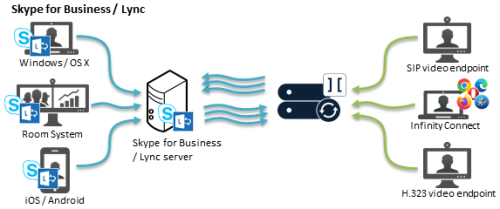
Pexip automatically transcodes all the popular video and audio codecs and supports standard protocols including SIP, H.323, and WebRTC.
Pexip VCI For Microsoft Teams
Pexip Cloud Video Interoperability (CVI) enables professional SIP and H.323 video conferencing systems to join Microsoft Teams as if they were native Microsoft clients. Because Pexip is a Microsoft-certified CVI partner you can rest assured it works as advertised. Pexip enables employees working from both home and the office to seamlessly join Microsoft Teams and Skype for Business meetings from the device of their choice.
Key Features
Native navigation
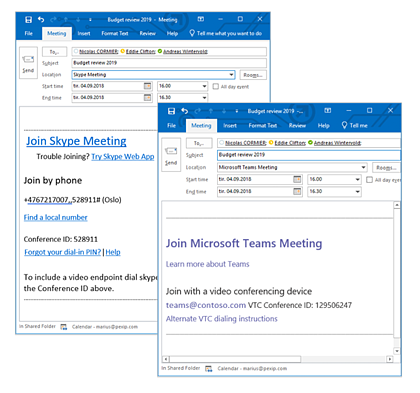
Pexip natively integrates with the Microsoft Teams workflow. Scheduling meetings from Teams or Outlook automatically inserts video conferencing dial-in details.
Seamless
When joining a Teams meeting from a third-party endpoint, everyone benefits from the full Teams experience with HD video, audio, and content sharing.
The full experience
Provides the full HD audio and video experience, as well as full content sharing between all participants.
Easy to join
Users have flexible options to join a Microsoft Teams meeting. With Pexip you can join via:
- Video conferencing room system (SIP and H.323)
- Browser with WebRTC
- Skype for Business
Flexible deployments
Self-hosted Pexip Cloud Video Interop for Microsoft Teams can run in 14 Azure data center locations worldwide. No other Cloud Video Interop solution is available in more locations. With Azure’s global coverage, you’re just a couple of clicks away from your ideal deployment.
Pexip For Google Meet
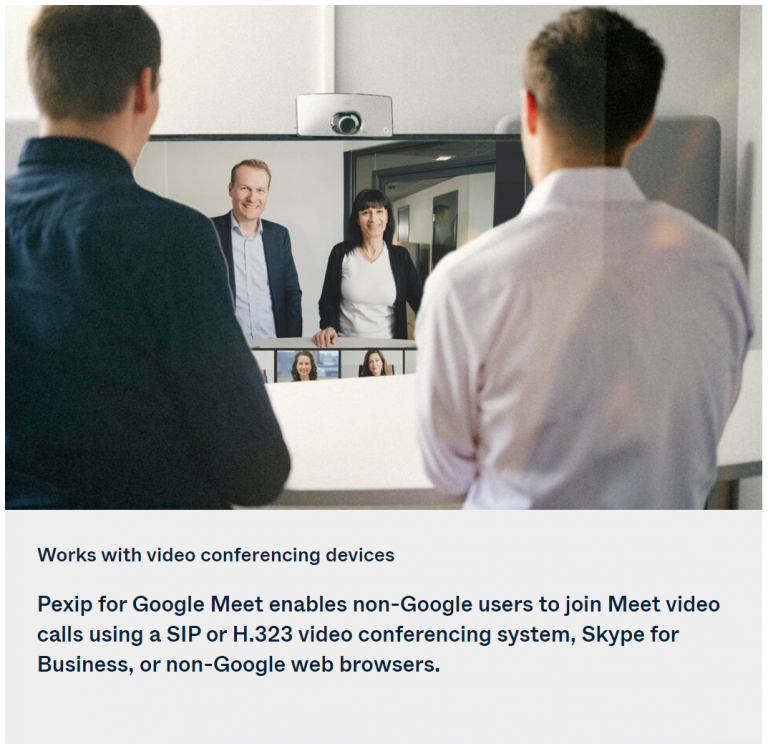
The Pexip Google Meet interoperability solution allows third-party video conferencing devices and systems to natively join Meet calls. It extends the use of Meet across organizations that have multiple video meeting solutions from vendors such as Cisco and Polycom, or even Skype for Business.
Who’s it for?
Pexip video interoperability is perfect for organizations that:
- Use Google Workspace and Meet as their productivity and collaboration platforms
- Have mixed communication environments that need to connect to Google Meet – Have standards-based video conferencing environments from vendors such as Cisco, Poly, and others, and want to use these systems to join Meet meetings
- Are migrating from Microsoft Skype for Business to Meet, and need the two to work with each other
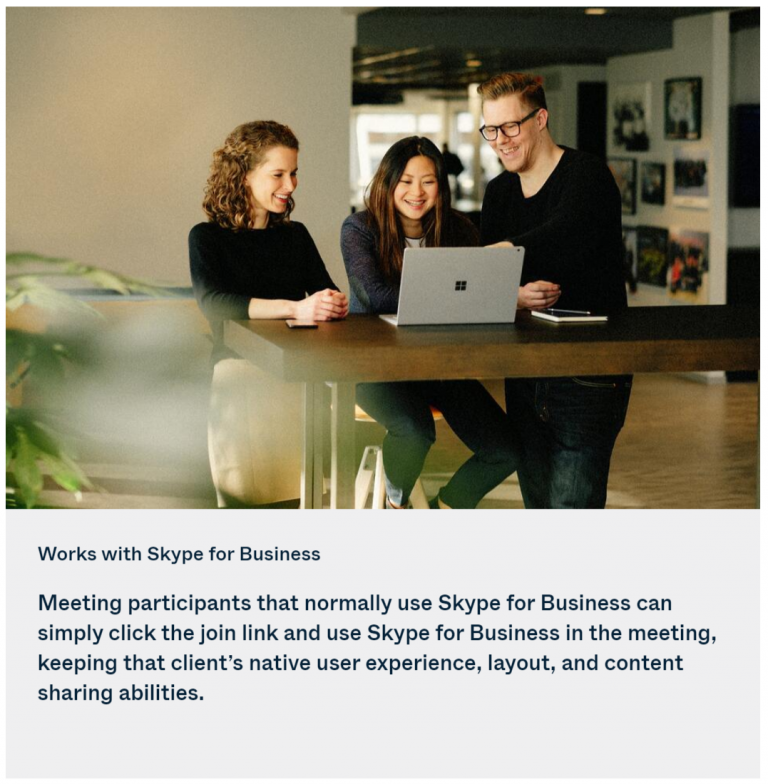
- Have partners or customers who want to join meetings from Skype for Business or another video meeting
How to work?
It’s easy for external users to join Google Meet calls. All third-party dial-in instruntions are provided by default.
And, when a video conferencing system or Skype for Business client is on a trusted domain, it can even automatically bypass the lobby.
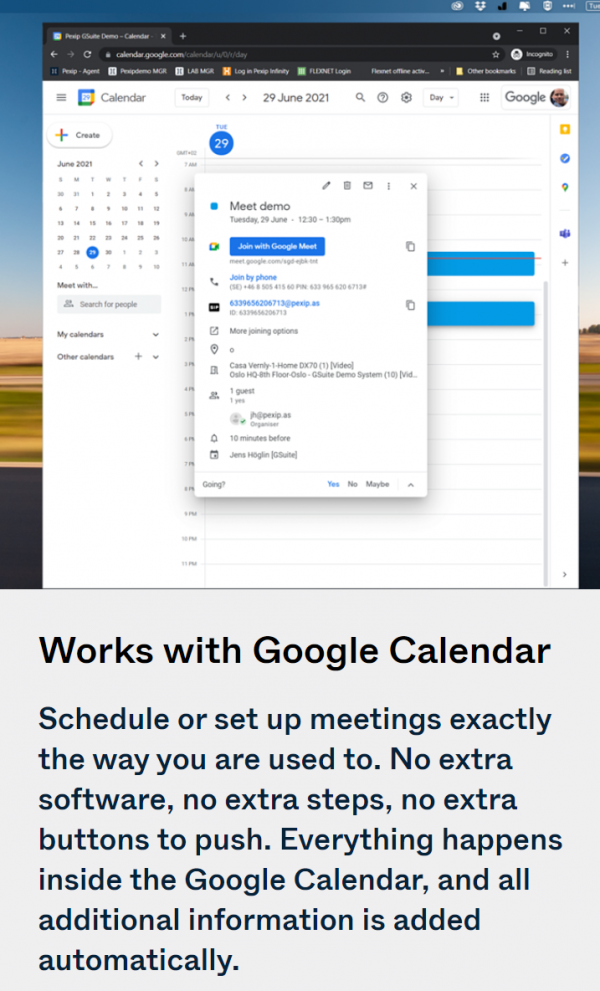
How to work?
Google Workspace users schedule or set up meetings exactly the way they are used to. No extra software, no extra steps, no extra buttons to push. Everything happens inside the Google calendar, and all needed information is added automatically.
As a cloud service…
It is easy to get going with Pexip for Google Meet as a service. Simply find out how many concurrent connections you will need (how many systems will be joining Meet meetings at the same time) and sign up for the service. Pexip hosts operate and support the service and its functionality.
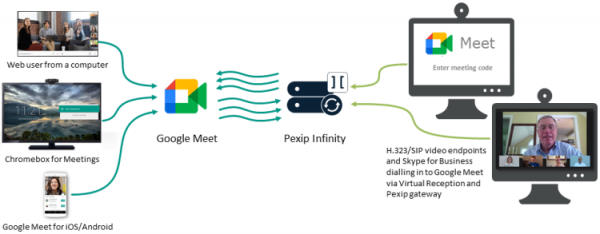
.. or self-hosted
For complex and large deployments, you can deploy and run Pexip entirely on-premises or in your own instance on Google Cloud Platform (GCP) – or any other cloud for that matter.
Contact US
Hong Kong Head Office
Rm 1801-1802, 18/F, One Portside, 29 Tai Yau Street, San Po Kong, Kowloon, Hong Kong
Shenzhen Office
Room 1205-1206, ShenKan Building, 1043 ShangBu Middle Road, Futian District, Shenzhen, China
Macau Office
Avenida da Praia Grande, 759, 2 Andar, Suite 2006, Macau
Hong Kong: (852) 2121 8423
China: +86 (0755) 61828601
Macau:(853)+6342 5892
info@tvs.com.hk
sales@tvs.com.hk
Mon-Fri: 09:00-18:00
Service Hotline:
(852) 3693 4726
Service Email: service@tvs.com.hk
Real-time Service Video Call:
Click here
Online Service Request Form:

SCAN ME
Mon-Fri: 09:00-18:00